FerryLive Yingkebao
Clinic management that keeps running offline
Patients, appointments, records, imaging, billing, inventory and analytics all run on your own computer. No per-seat fees, no data upload, install and go. When you need AI, open the embedded FerryLive AIPACS online workbench with one click.
Windows 10 / 11 · 64-bit · about 120 MB · upgrades keep your data
Unplug the network. The clinic keeps running.
The software has two workspaces. The Management Center used for daily operations runs entirely on the local machine. Imaging AI, specialty agents and the content studio live in the AI Center, delivered through the embedded FerryLive AIPACS online workbench. Flip the switch and see what stays on.
Network status
Simulate a network outage and watch both workspaces react.
All services listen on 127.0.0.1 only and are never exposed to the LAN or the internet. Patient data is never uploaded to any external service.
Management Center · runs locally
Works offlineAI Center · online extras
Back as soon as the network returnsFrom new patient to payment on one workflow
Scroll through the modules and the screen follows.
01Dashboard
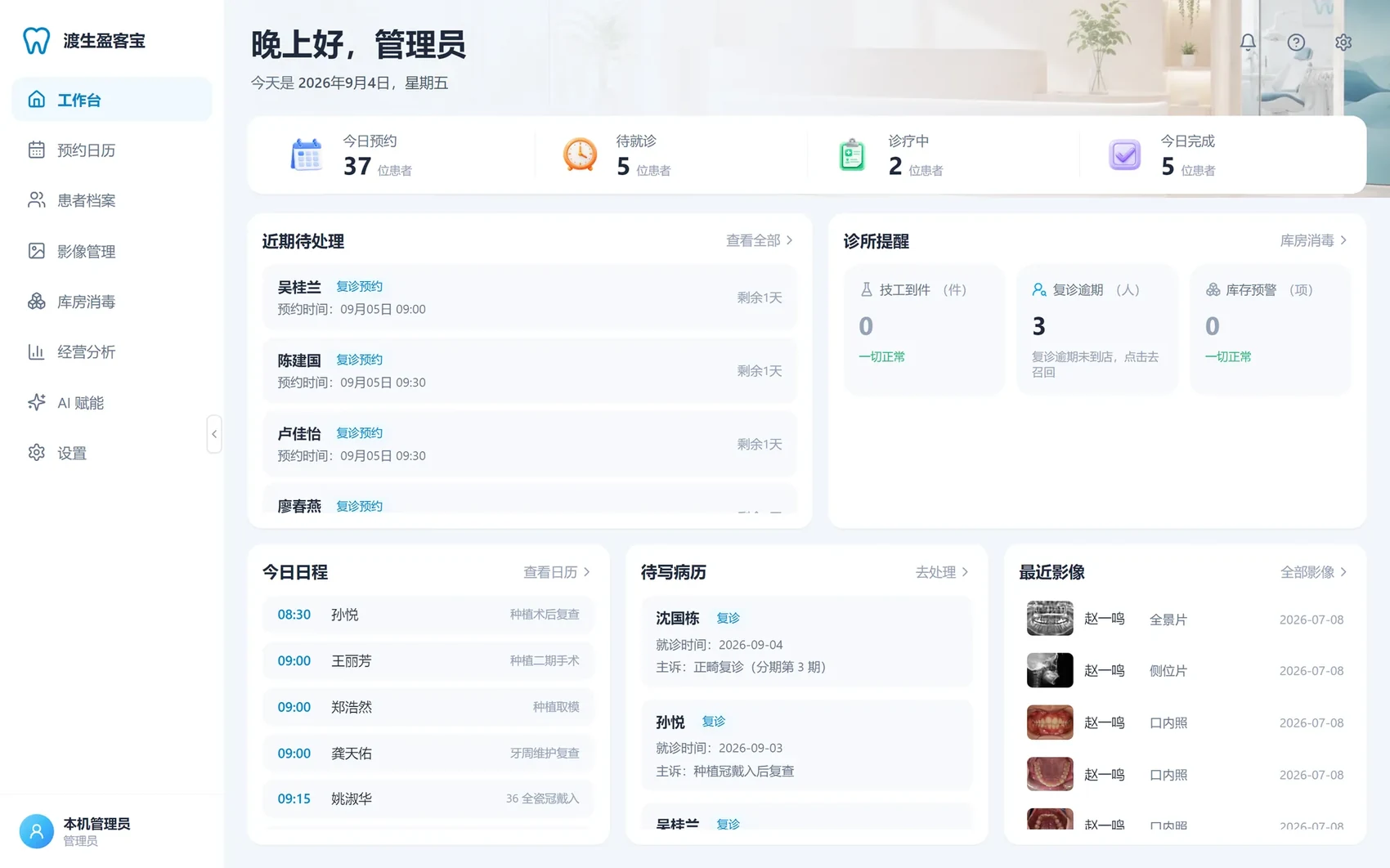
The first screen of the day: appointments, waiting, in treatment and completed, plus pending items and clinic reminders.
- Lab deliveries, overdue recalls and stock alerts, each one click from its list
- Today's schedule, records to write and recent images at hand
02Calendar
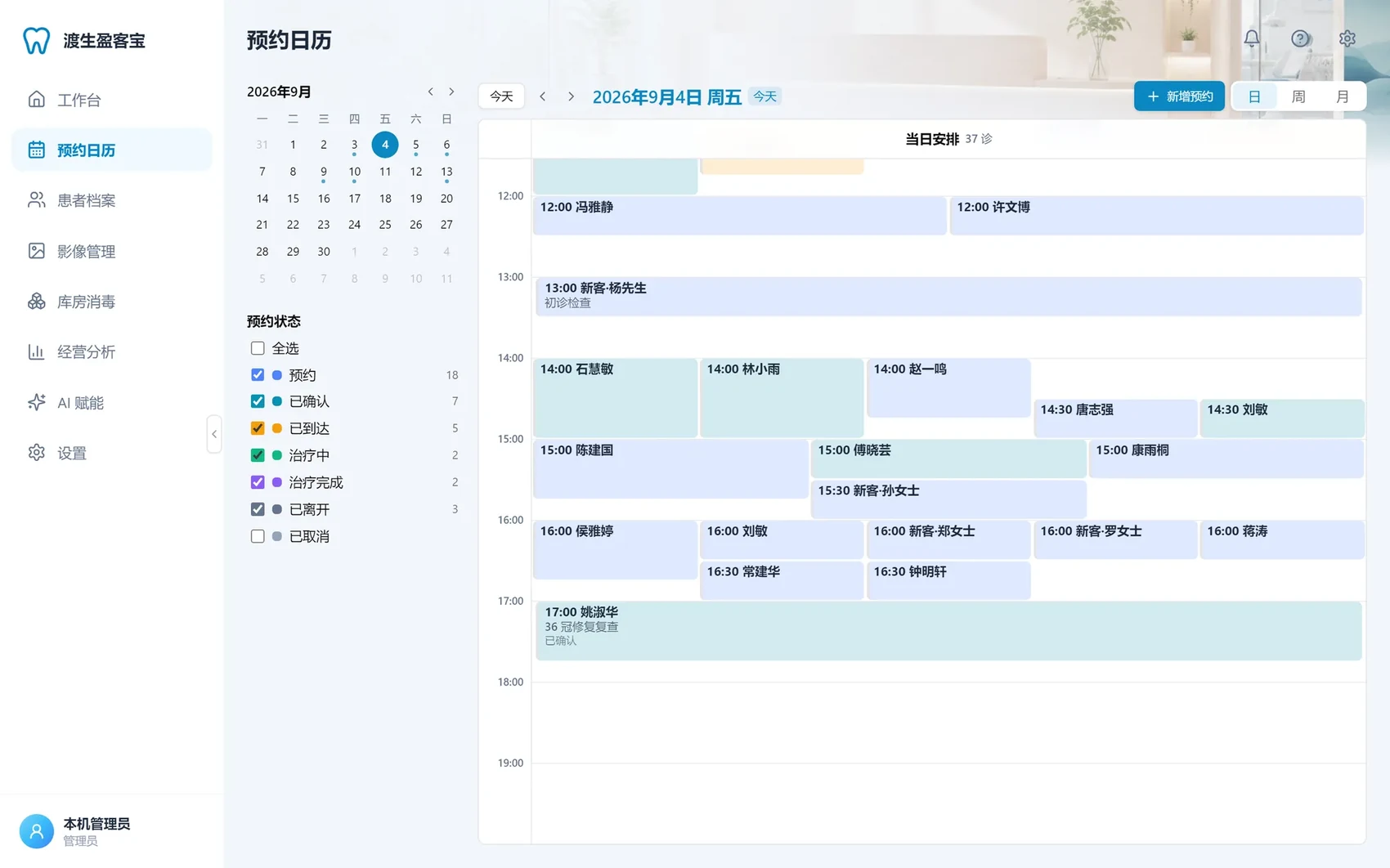
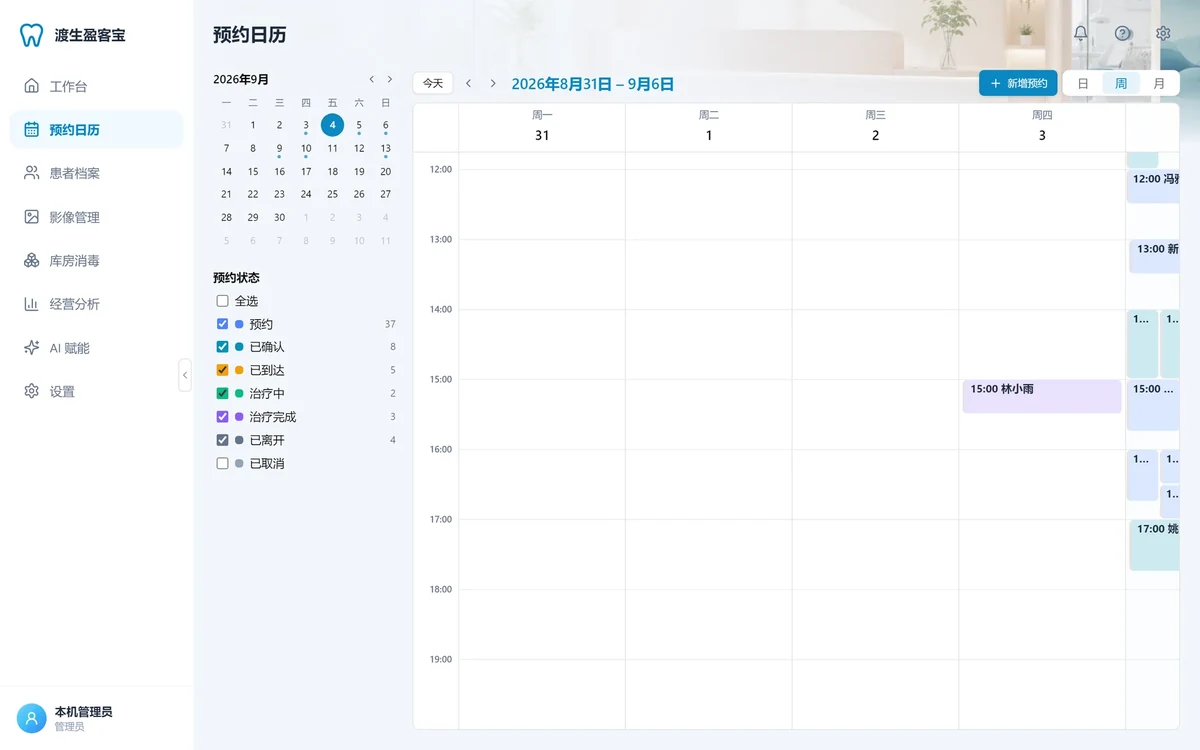
The day view is one timeline where overlapping appointments line up side by side; week and month views show the big picture.
- State machine: booked → confirmed → arrived → treating → done → left; reaching "done" writes the visit automatically
- Walk-in registration and optional online booking sync
03Patient 360
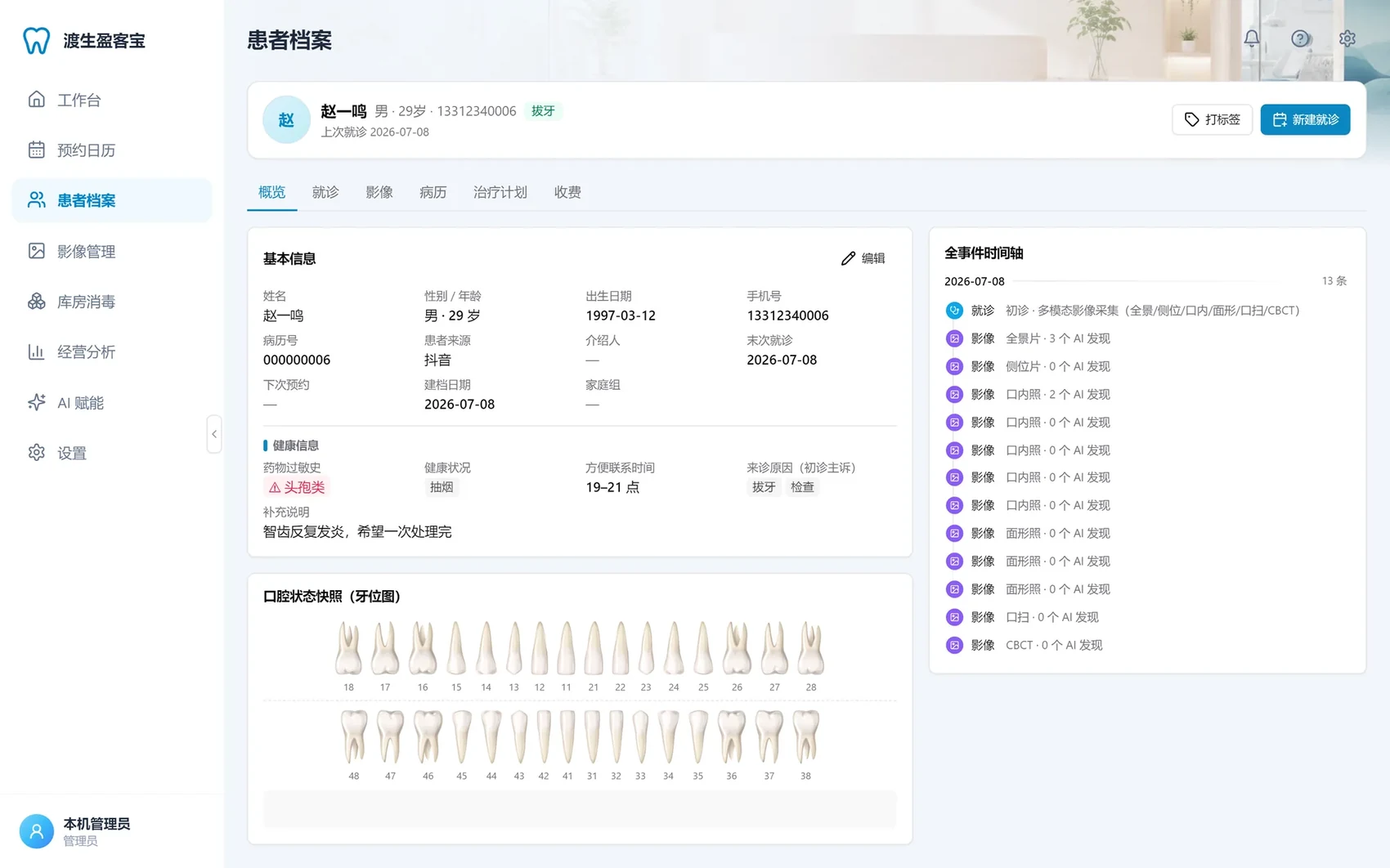
Everything about one patient on one page: profile, tooth chart and timeline, then six tabs to drill down.
- Intake form on registration, 11 record templates, consent forms with handwritten signature
- Patient list filtered by scenario or value tier; merge duplicates, restore from the recycle bin
04Imaging
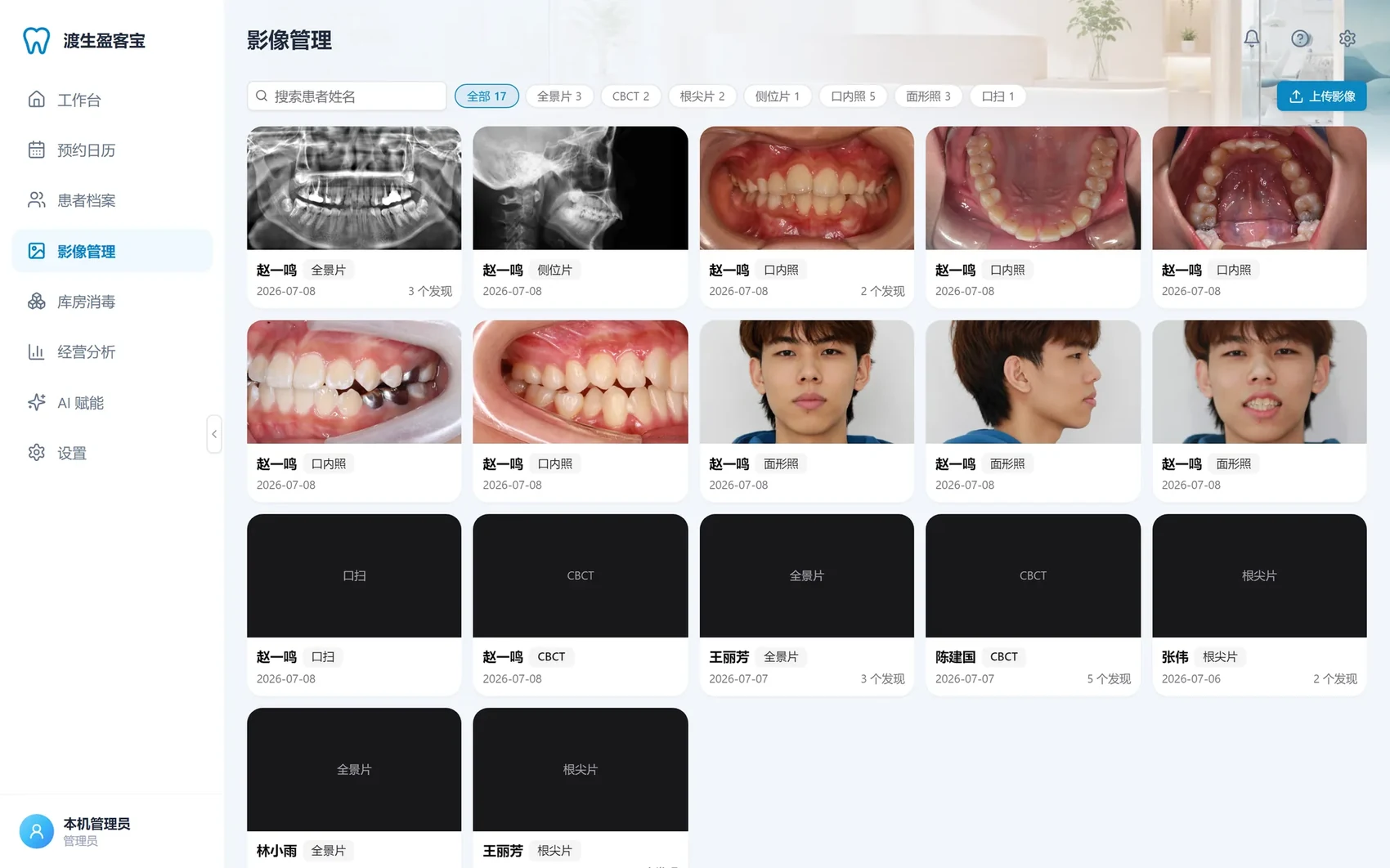
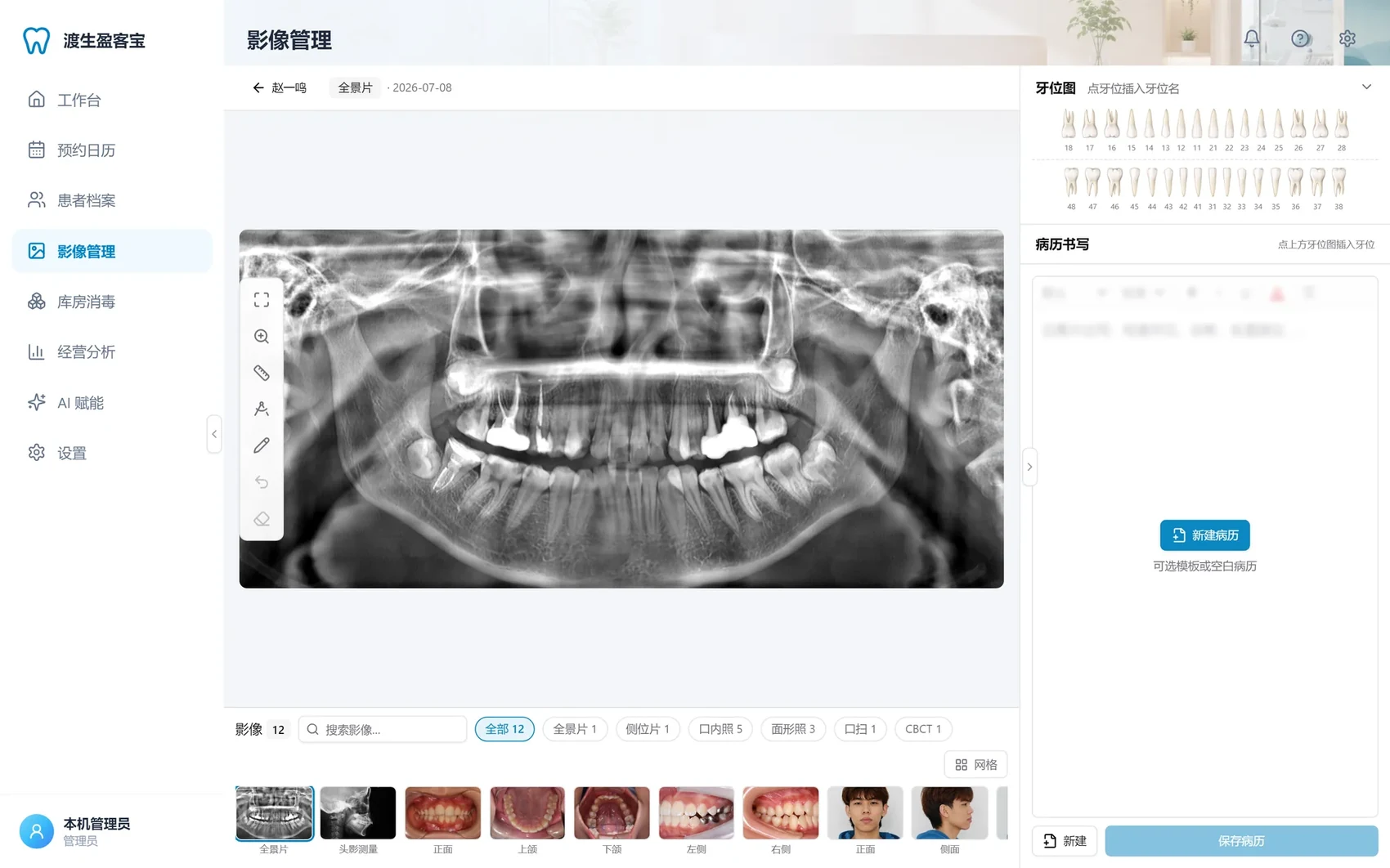
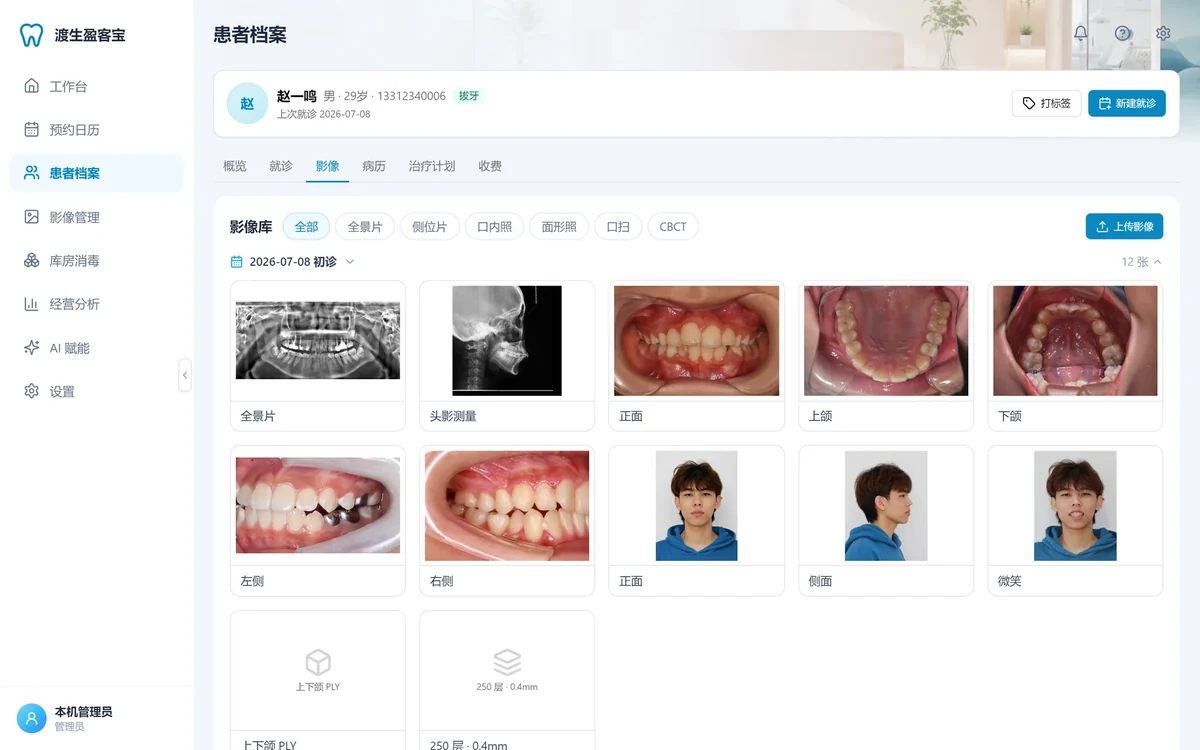
One library for the whole clinic: browse across patients in a grid, filter by modality, upload without assigning a patient yet.
- Intraoral, facial, periapical, bitewing, occlusal, panoramic and cephalometric; CBCT and IOS detected automatically
- Mixed-modality upload in one box; a folder is recognized as a CBCT series
05Viewer
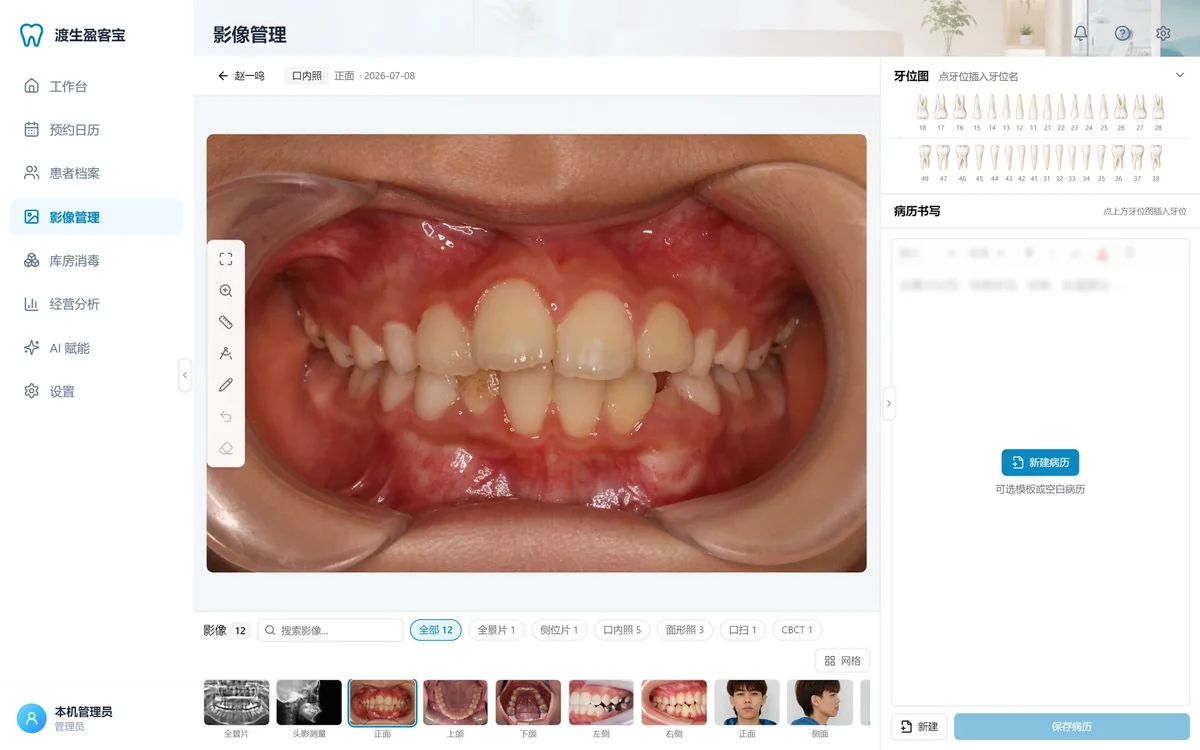
Open any image: wheel zoom, drag to pan, length and angle measurement, freehand annotation, and write the record in the right pane.
- 2D measurement, CBCT slice browsing, IOS 3D viewer
- Click the tooth chart to insert tooth positions; start from a template or a blank record
06Inventory & sterilization
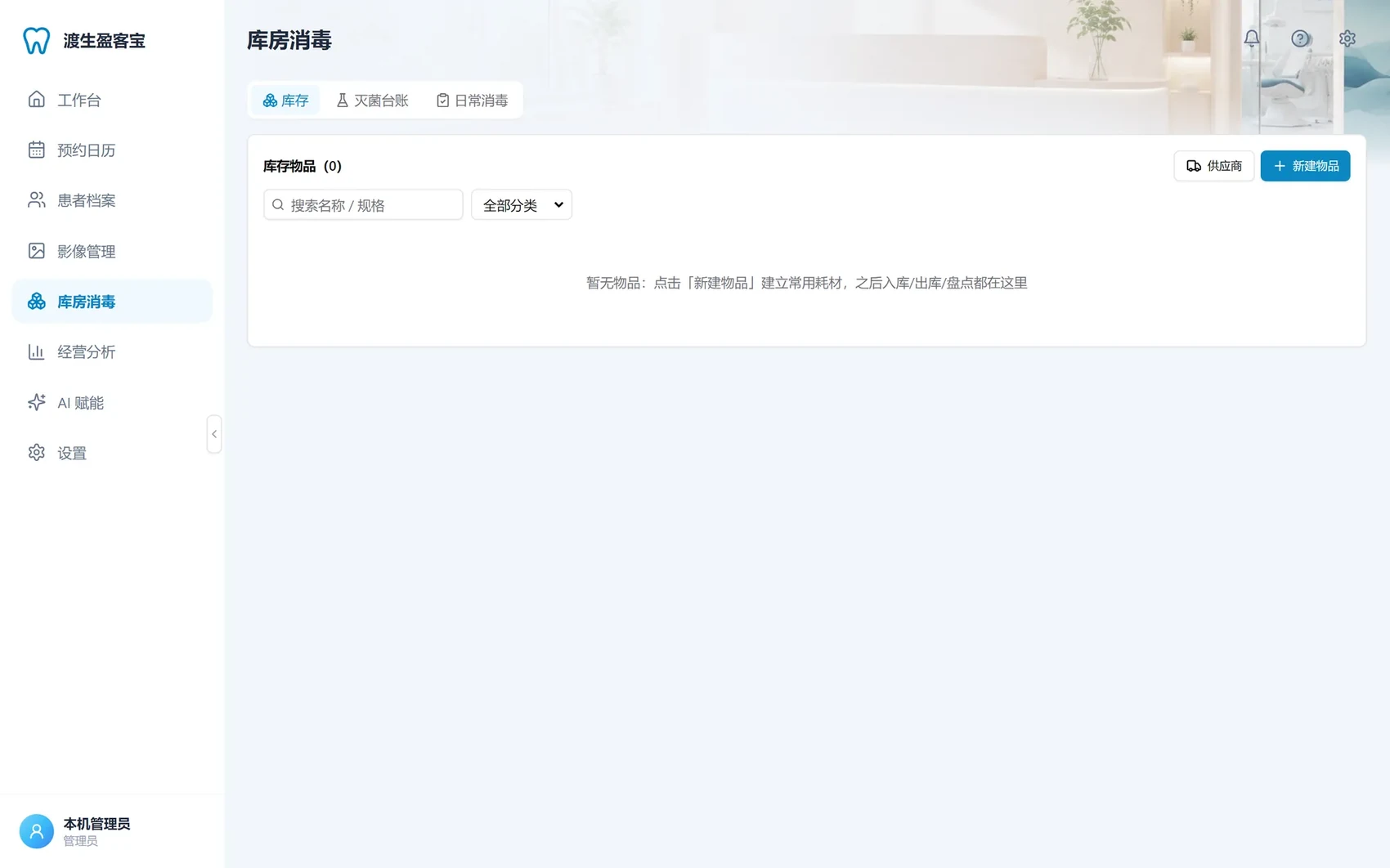
Stock and sterilization together: lot expiry, first-expiry-first-out, automatic cycle numbering, instrument tracing to the patient.
- 90-day expiry alerts, FEFO dispensing, automatic stock-take variance
- Biological monitoring can be back-filled; daily disinfection is one line per day; everything prints
07Analytics
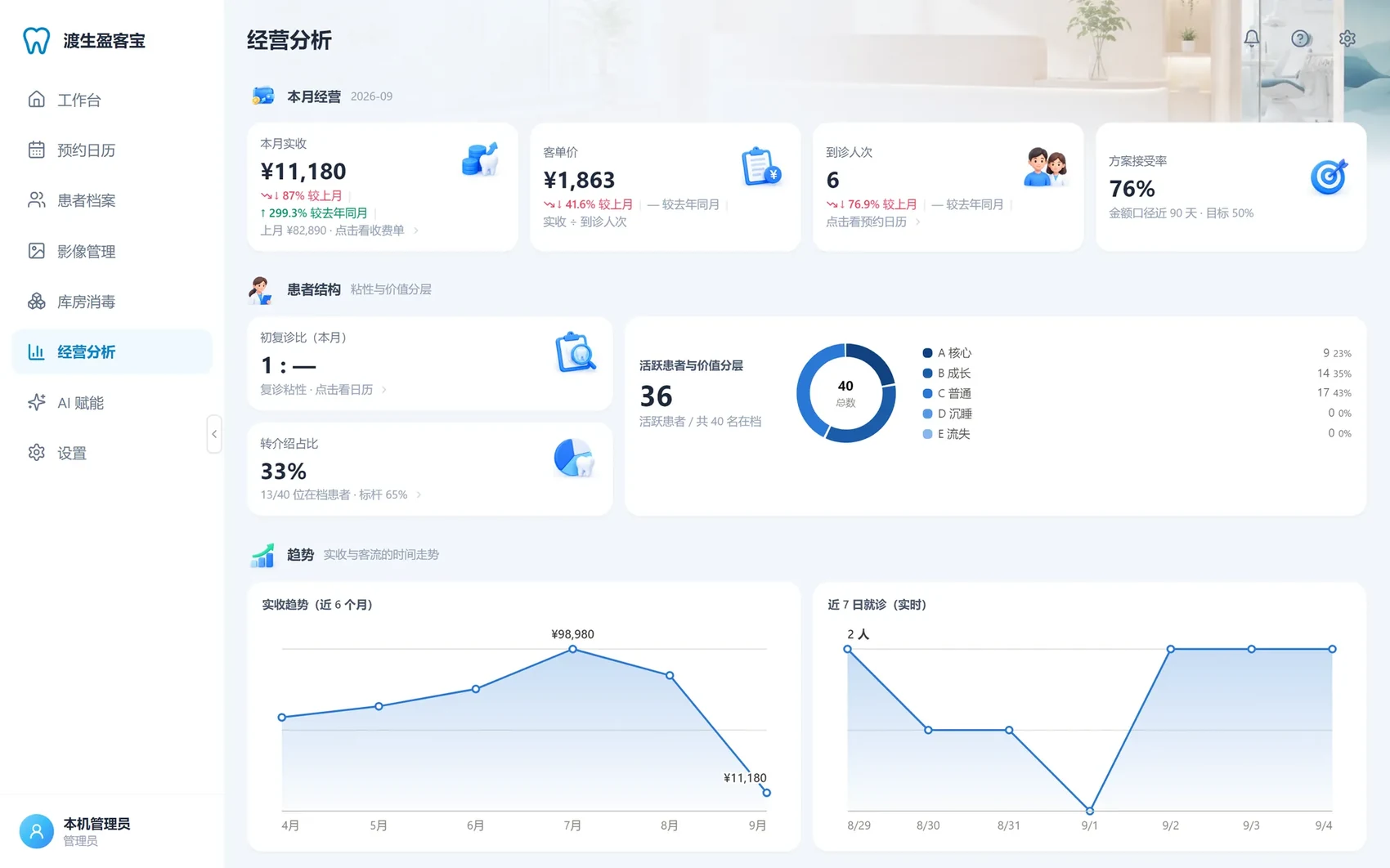
Monthly revenue, average ticket, visits and plan acceptance on one screen, each drilling down to the invoices behind it.
- Patients tiered by loyalty and value, with tier cards linking straight to the patient list
- Every metric is computed from the real database; nothing is hard-coded
08Settings & backup
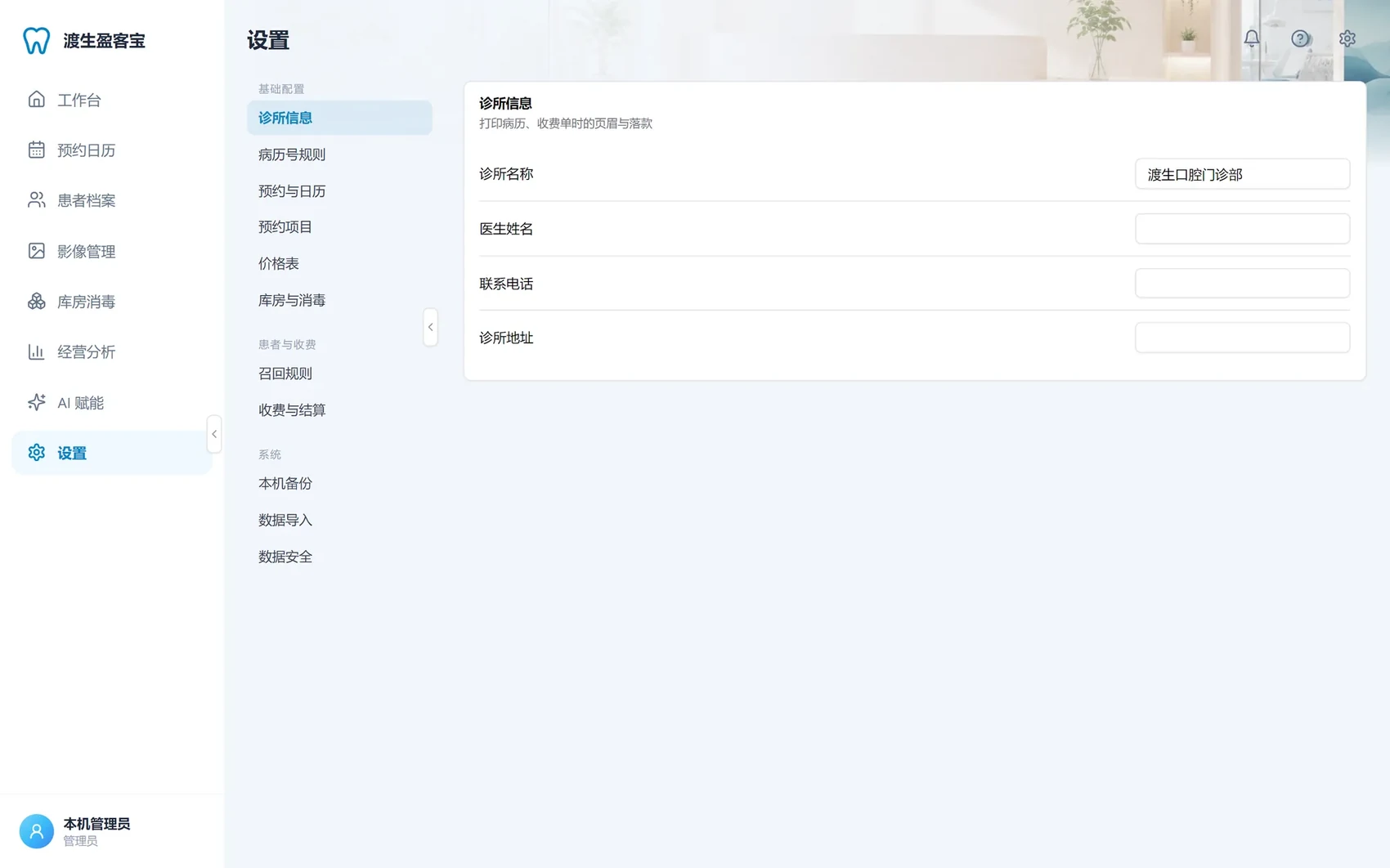
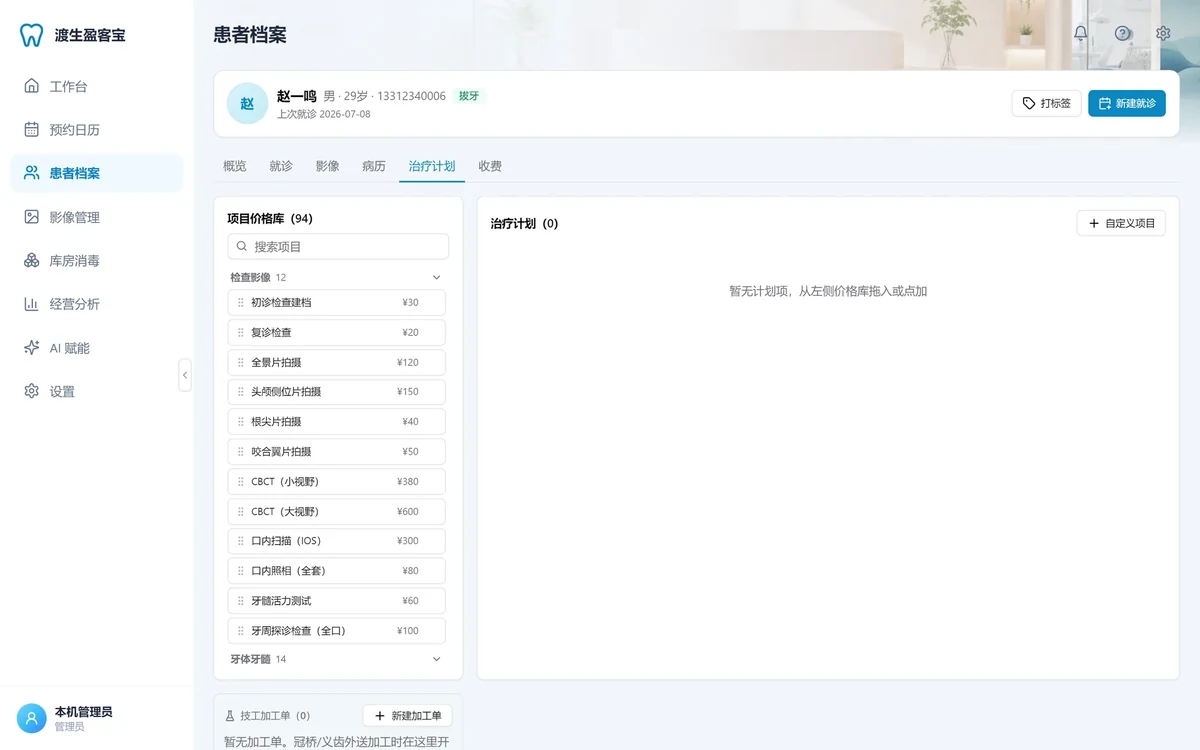
Opening configuration and data safety live here: price list, appointment items, recall rules, consent vocabulary, data import.
- Import patients and billing history from CSV; switching software does not lose the books
- Local backups include the database, images and an integrity manifest; restoring requires a confirmation phrase
More real screens
Drag to browse. Screens are real; patient details are de-identified samples.
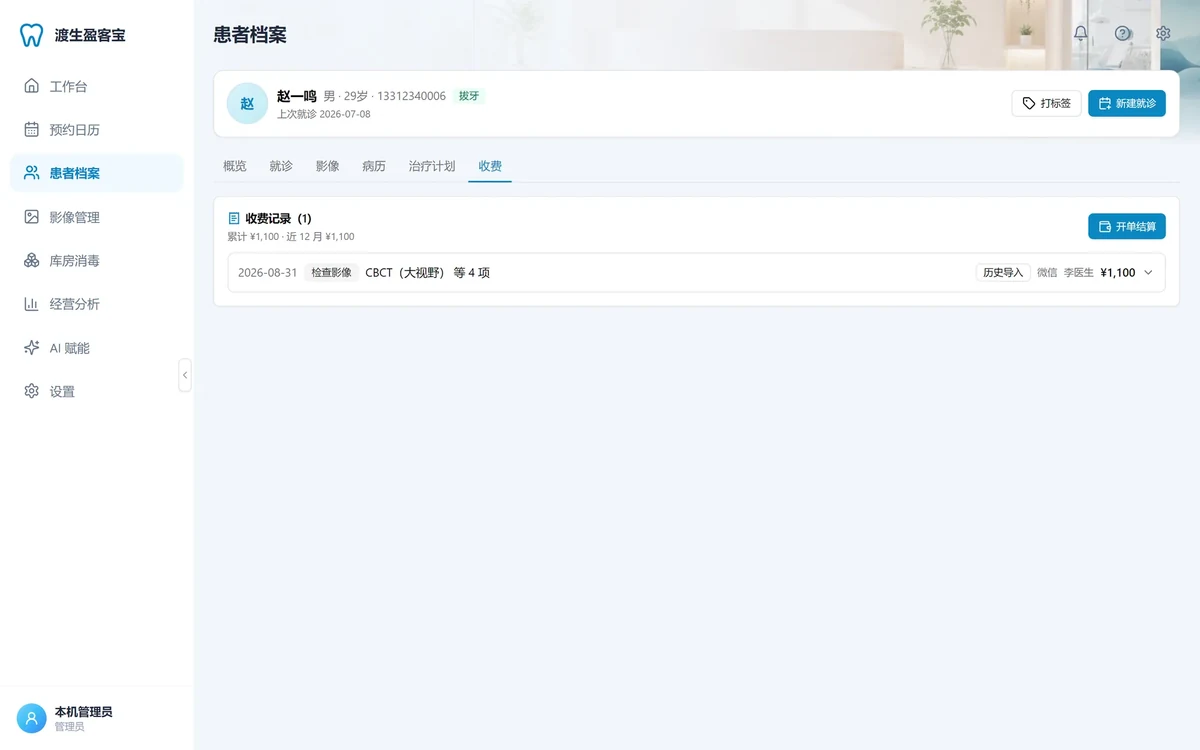
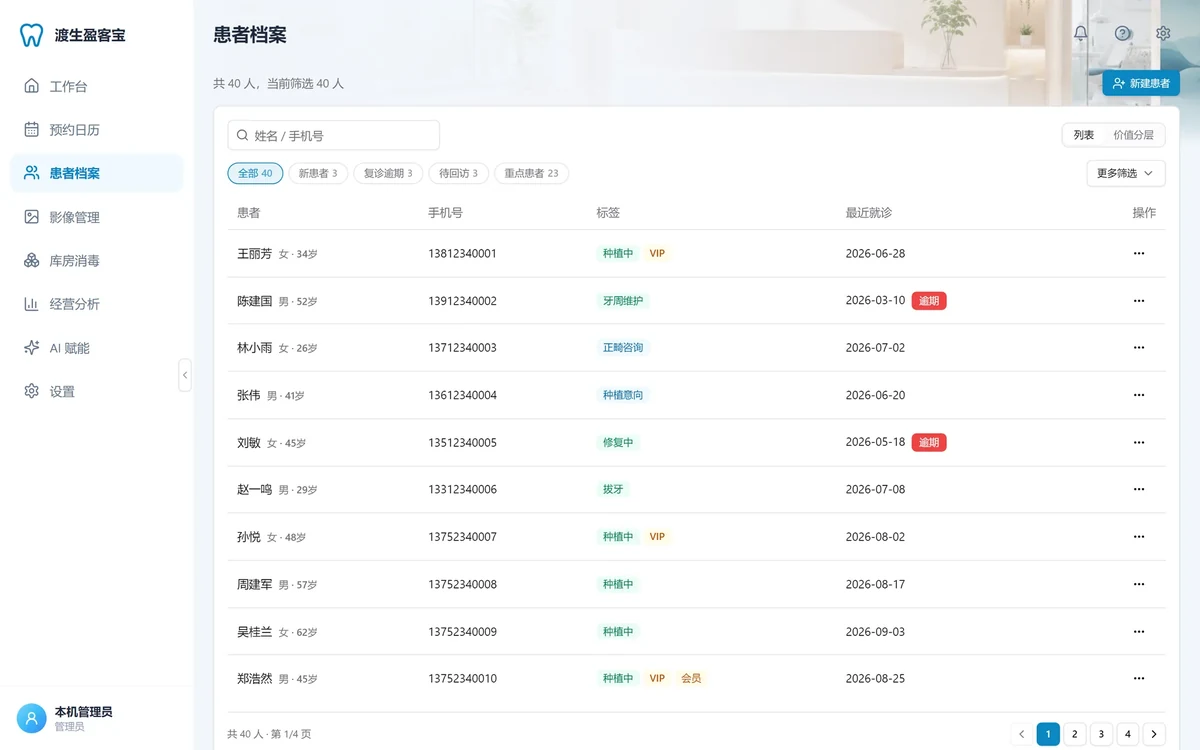
The basic local edition is free to download and install. Management features and the AI Center entry work out of the box.
- No seat fees, no limit on patients or images
- Data lives on your own computer, never uploaded or hosted elsewhere
- Upgrade by installing the new version over the old one; a backup runs first, patient data is untouched
- Go online when you need imaging AI or marketing tools; stay offline the rest of the time
Compared with typical cloud clinic software
| FerryLive Yingkebao | Typical cloud software | |
|---|---|---|
| Cost | ¥0, no seat fees | Yearly, per seat |
| Data location | Local SQLite, automatic backups | Vendor servers |
| When offline | Keeps running | Unavailable |
| Imaging | Built-in viewer, CBCT / IOS supported | Mostly attachments |
| Switching | CSV import of existing data | Depends on vendor |
Safe by default
Local only
Services bind to 127.0.0.1 and are never exposed to the LAN
Daily backups
Full database and image backups run in the background
Integrity manifest
Every backup ships with a checksum list; broken bundles are cleaned up
Audit history
Every write is logged and visible in Settings
Confirmed restores
Restoring a backup asks for a confirmation phrase
Free download. Move your clinic in today.
Install and go: the first launch creates a local session automatically, no account needed. Closing the window keeps it in the tray; launch at startup is optional; upgrade by installing over the old version.
If Windows shows a prompt on first run, choose "More info → Run anyway".
Imaging AI and marketing tools need the internet
Frequently asked questions
Yes. The basic local edition is free to download, install and use. Management features work out of the box with no seat fees and no patient limit.
Yes. Patients, appointments, records, imaging, billing, inventory and analytics run entirely on the local machine. Only the AI Center (imaging AI, agents, content studio, business LLM) needs the internet, and it is back as soon as the connection returns.
On your clinic's own computer, in a local SQLite database and image folder. The software backs up daily, including the database, images and an integrity manifest. All services listen on the local machine only.
No. Everything from the AI Center is a suggestion. Only findings a doctor confirms and imports enter records and treatment plans; the local software provides the import interface and never writes automatically.
Data import in Settings takes patient records and billing history from CSV files with field mapping. You preview before importing, and a backup is created afterwards.