Duya
Scan, self-check, walk in
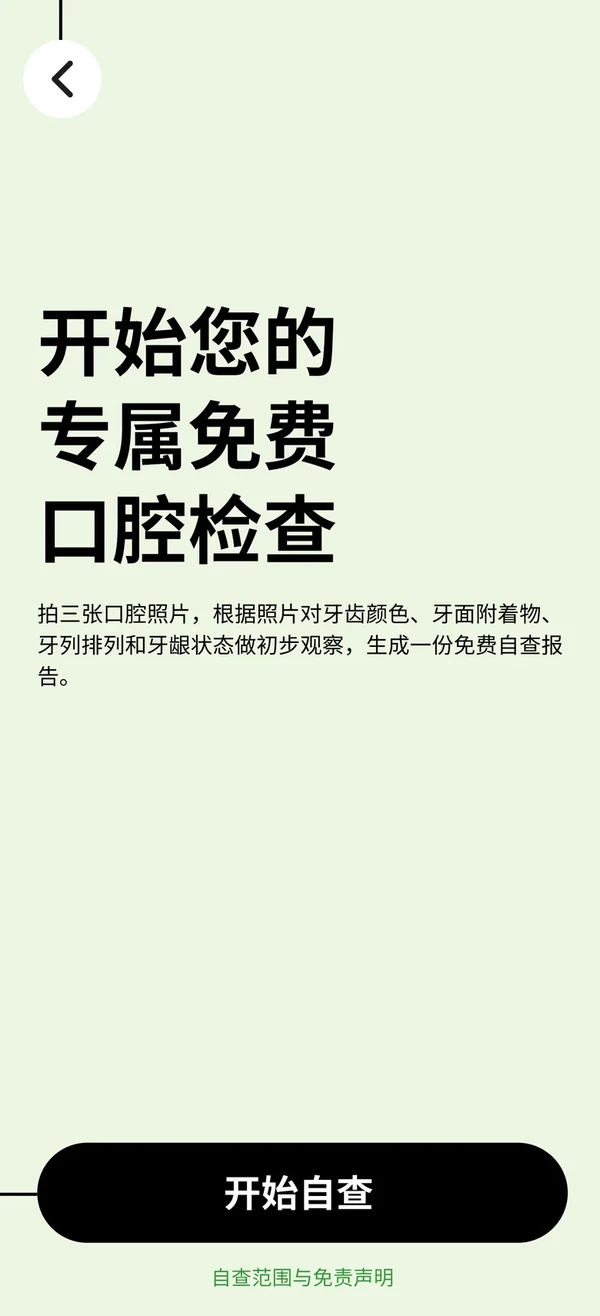
Patients scan the clinic's own code, take three intraoral photos and get an AI oral-health risk report in about 30 seconds. The clinic receives the lead at the same moment, a doctor reviews and replies, and the front desk follows up by phone to book the visit. One loop from online screening to the chair.
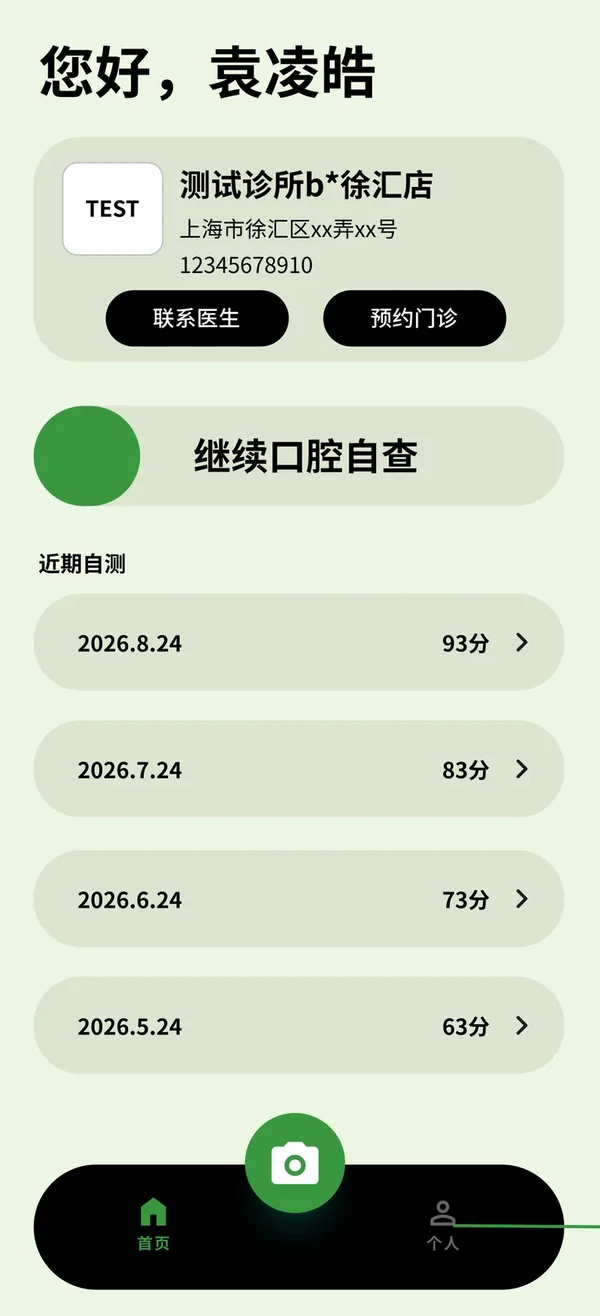
From scan to report in three minutes
Scroll through the steps and the phone follows. Sample details are de-identified.
Scan the clinic's code
Each clinic gets its own mini-program code with a scene parameter, so every scan is attributed. Store, street and community campaigns can each use a separate channel code.
- A user's report history is shared across clinic entries
- The landing page shows the clinic name and logo to build trust first
One-tap WeChat authorization
WeChat login with quick phone-number authorization. A separate prompt before capture explains how photos and the phone number are used; declining still allows browsing the education content.
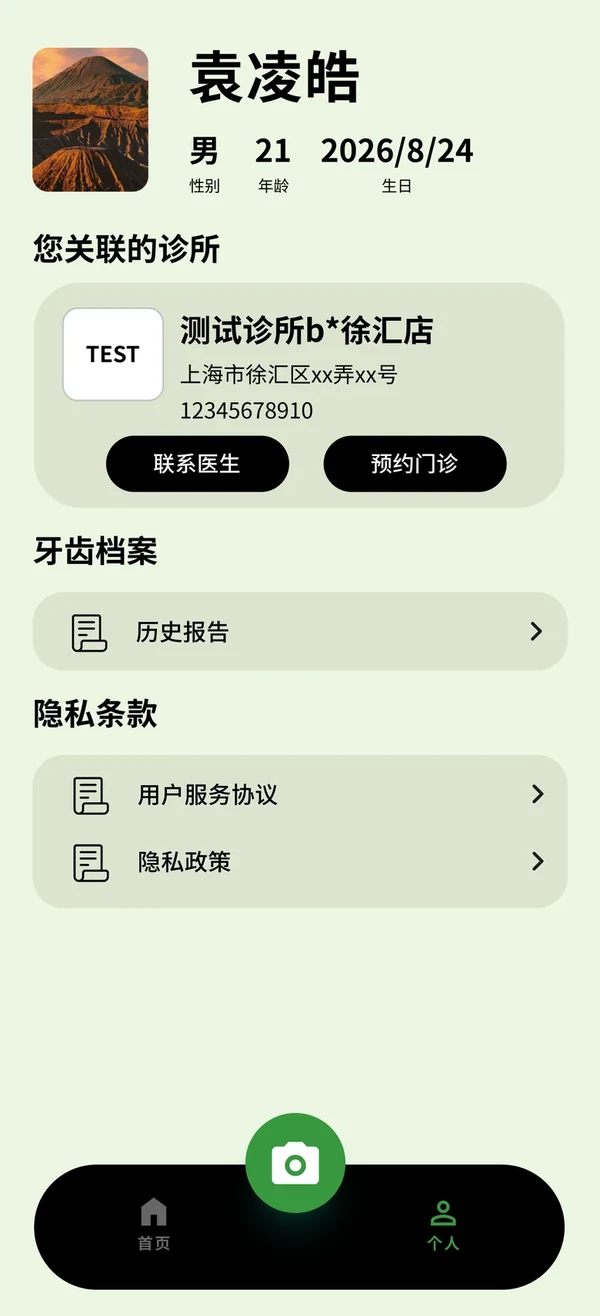
- Home offers "contact doctor" and "book a visit"; the address opens navigation
- Recent checks are listed by date and score for review
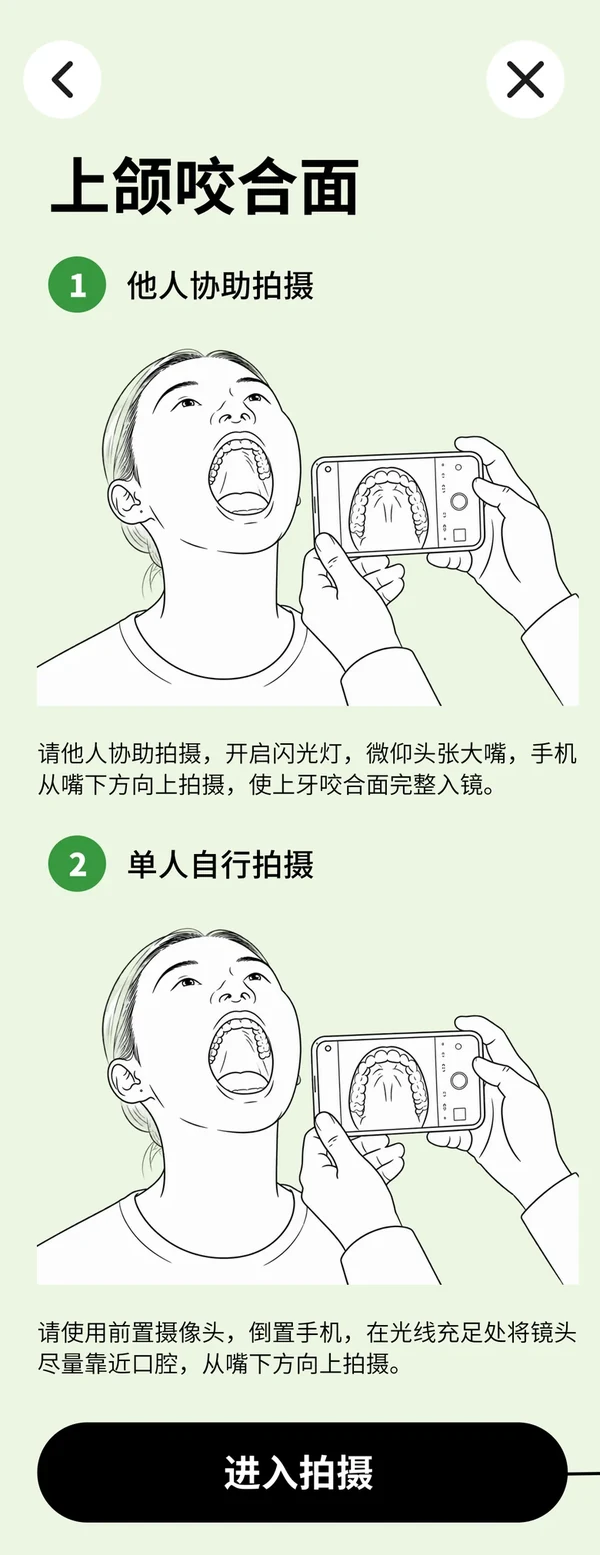
Capture tutorial
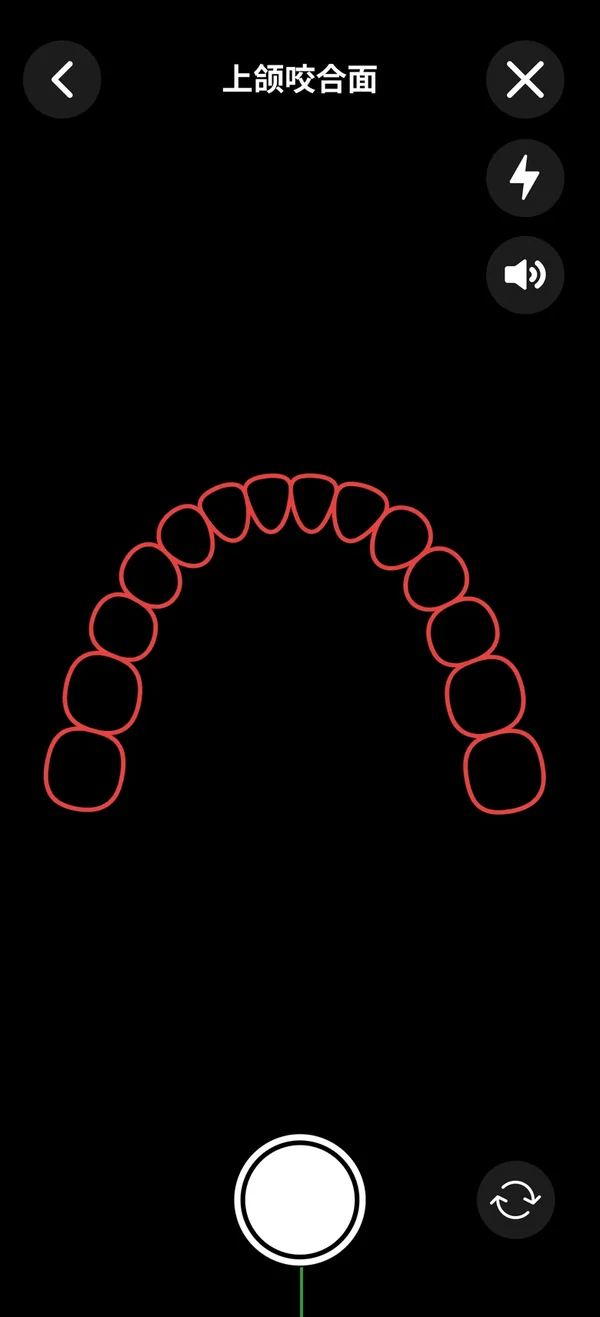
Three photos: upper occlusal, frontal and lower occlusal, each with assisted and selfie tutorials. Selfie mode turns up screen brightness as fill light automatically.
- Tutorial and capture screens share the same guidance copy
- Direction hints are flipped to the user's point of view for upside-down selfies
On-device guided capture
An on-device FDI model recognizes the teeth live: red frame means adjust, green means shoot, with auto zoom, motion hints and voice prompts. Blurry or non-intraoral shots are rejected on the spot.
- Live frames never leave the phone; recognition runs locally
- Phones without on-device support fall back to server-side quality checks
AI report
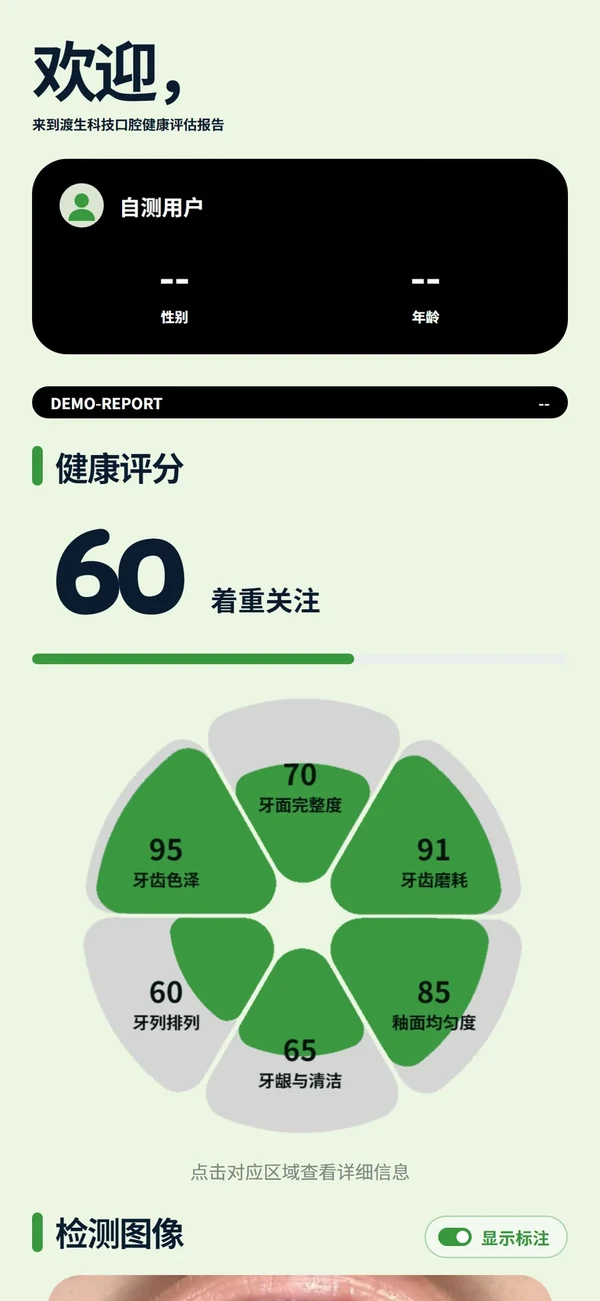
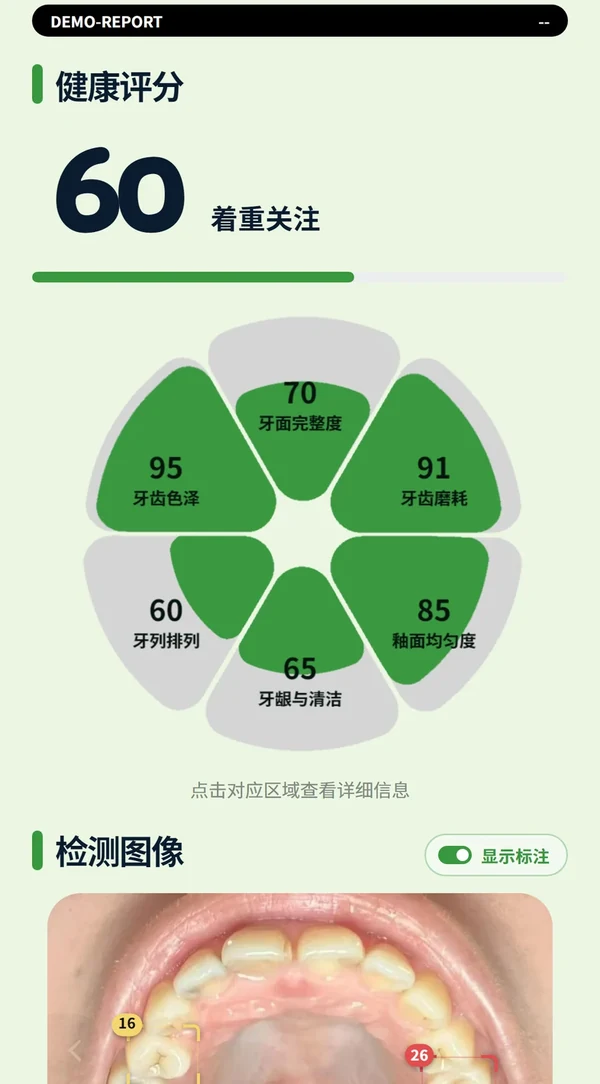
After the three photos upload, the server runs inference, returns a brief result first, then the detailed report: overall score, six-dimension petal chart, annotated photos, tooth chart and advice.
- Reports can be reopened anytime; history is shared
- A fixed "AI generated, for health reference only" statement is always shown
Share with the clinic, wait for the doctor
Users can add a name, age and gender and share the cropped images with the clinic they scanned. After the doctor replies in text or voice, the user reads it under history and can contact the doctor or book directly.
- Without sharing consent the clinic sees no identifiable data
- Terms and privacy policy are always available; accounts can be deleted

A report people understand and want to share
An overall health score leads, six dimensions open up in a petal chart, suspect teeth are boxed on the real photos, then the tooth chart and advice follow. Everything is explained in plain words, and advice stays at "worth attention" or "get checked in person".
- Six dimensions: surface integrity, color, wear, alignment, gums and hygiene, enamel uniformity
- Detection boxes on the photos with corner tooth numbers; tap a box for that tooth, toggle boxes on or off
- Teeth of concern are highlighted on the tooth chart; tap for the explanation
- Advice is listed by 13 finding types, each with an attention level
- One-time tap and swipe hints appear as the score, images and tooth chart scroll into view
Leads stay organized, replies never depend on memory
Owners, doctors and the front desk each have their own entry, and it all works on a phone too. Real workbench screens below; sample details are de-identified.
Home
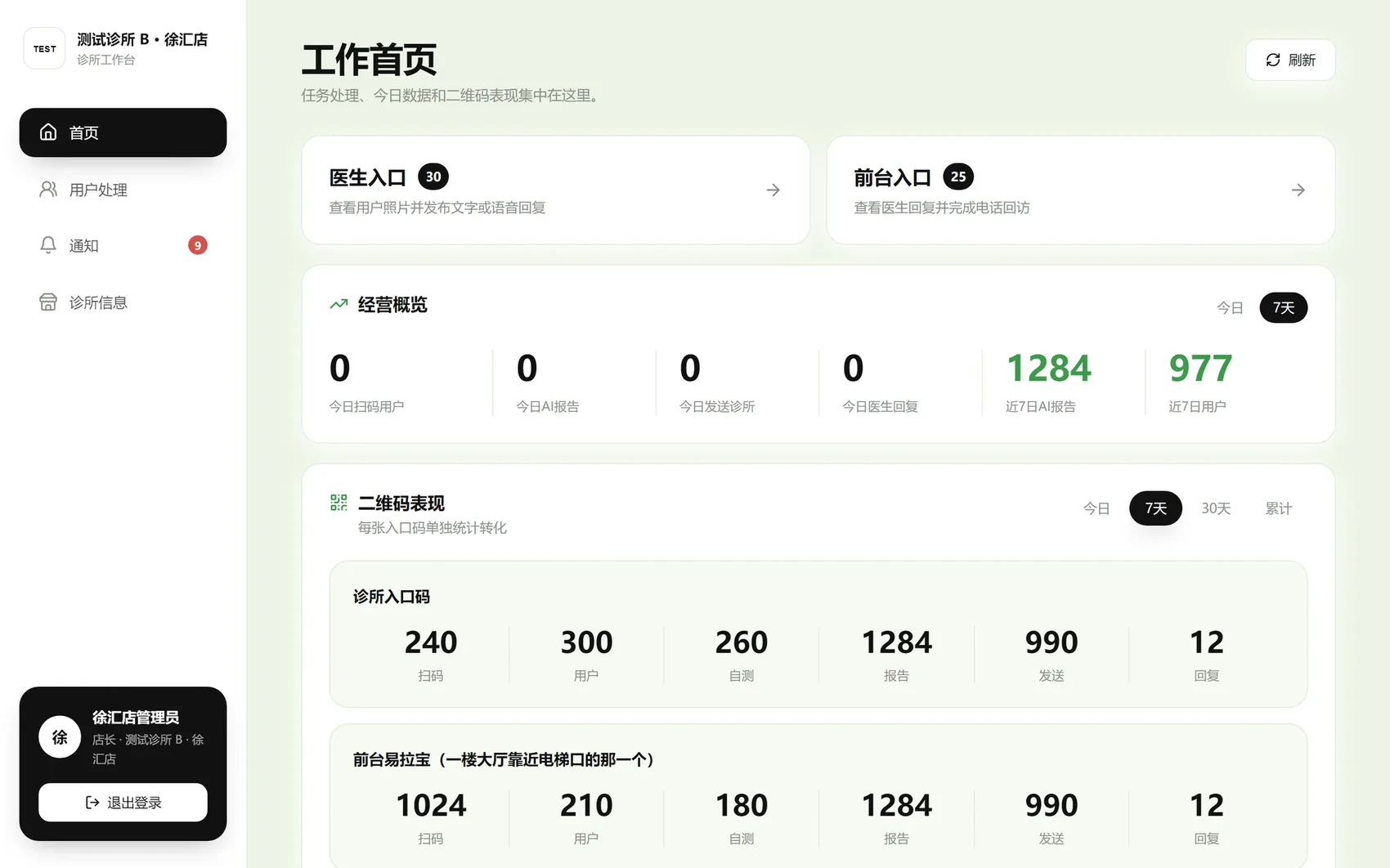
Two queues with pending counts for doctors and the front desk; a business overview of today's scans, AI reports, shares and doctor replies; and per-code performance for every entry code.
- Today / 7 days / 30 days / all time
- Each code shows scans → users → checks → reports → shares → replies at a glance
Doctor queue
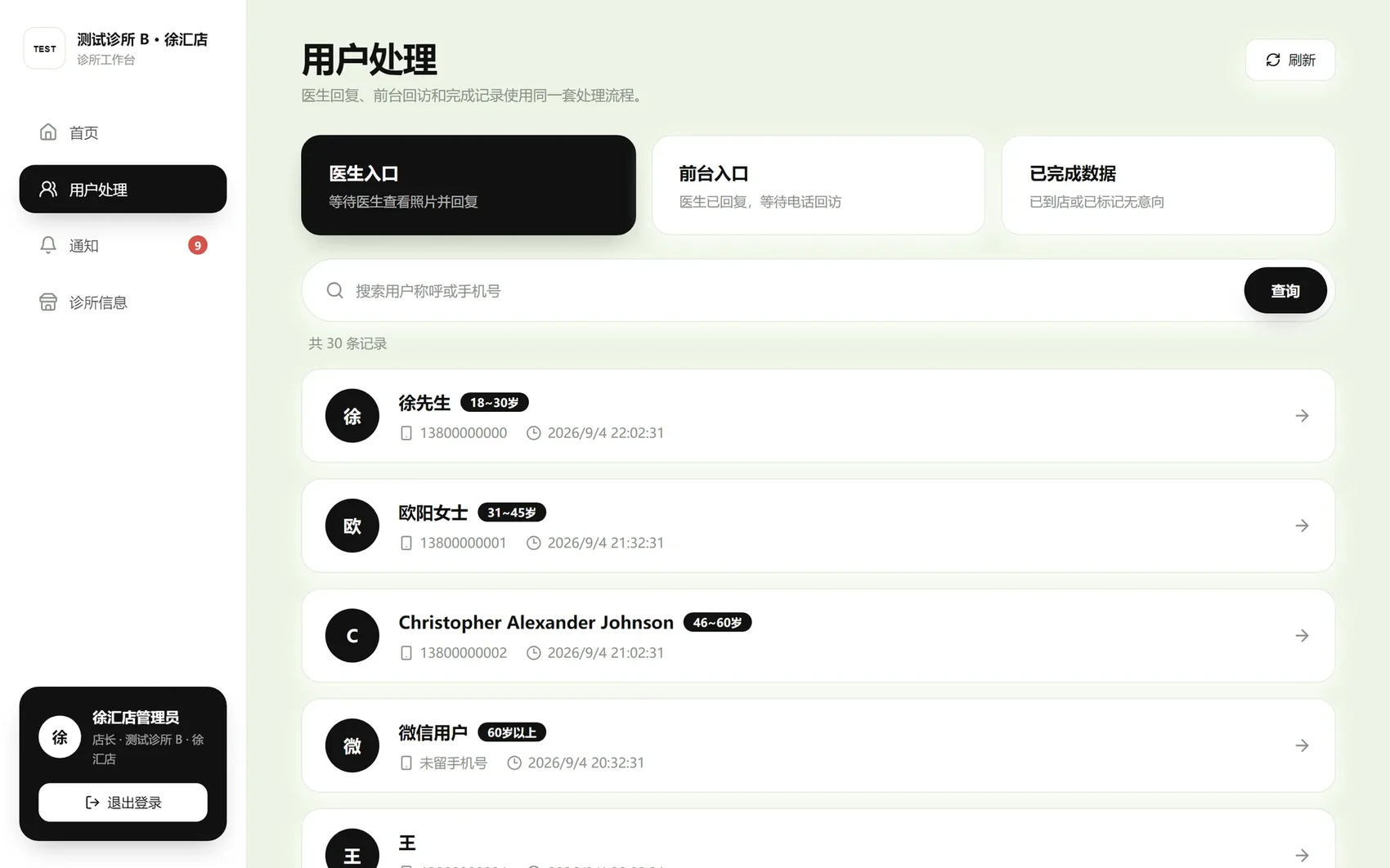
Users awaiting a doctor reply queue by submission time, searchable and filterable by status. Overdue cases rise to the top, and the queue tells you when everything is done.
- Name, phone, age group and submission time per row
- Only data the user chose to share is shown
Case detail
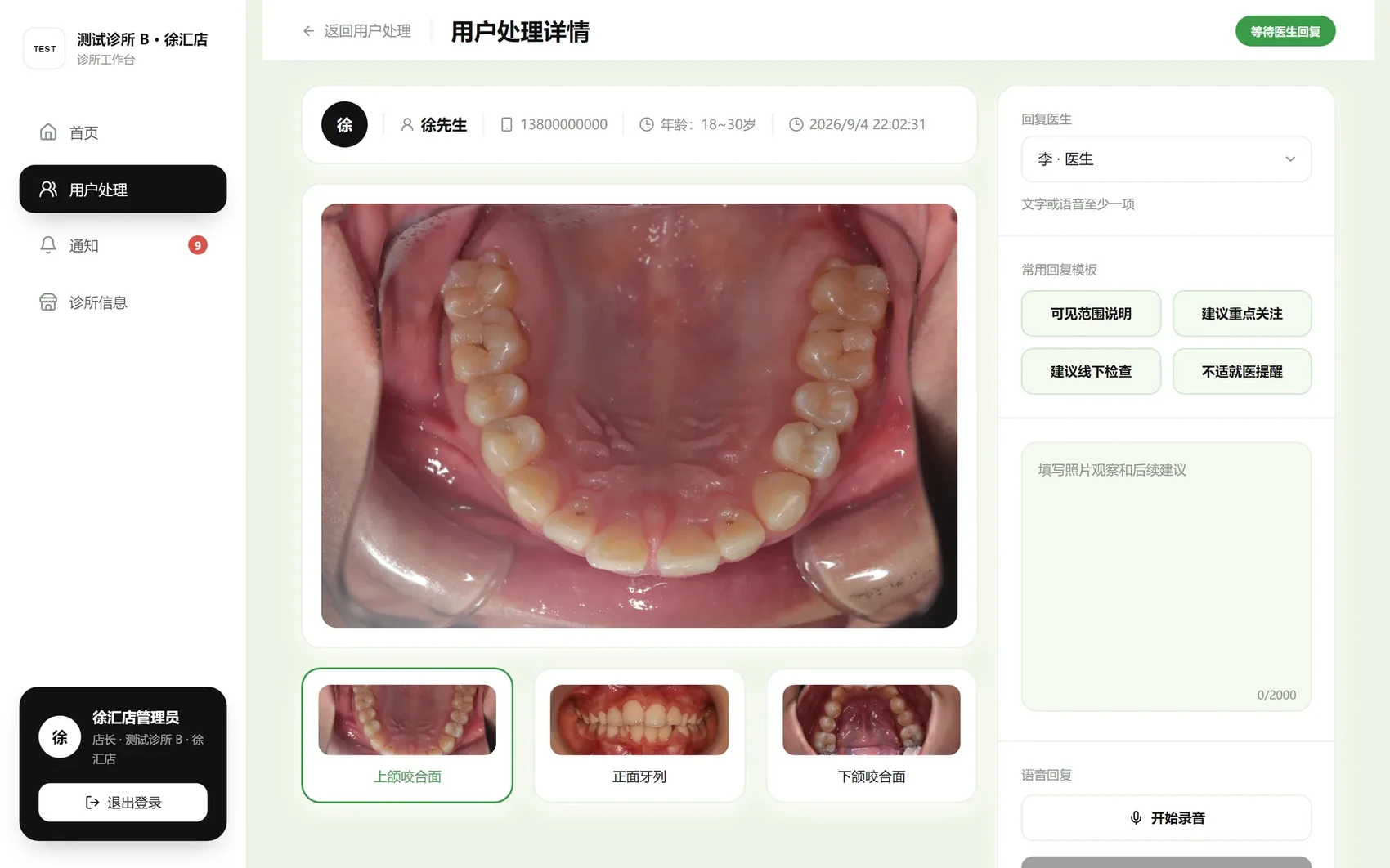
Three intraoral photos on the left, zoomable and switchable. On the right, pick the replying doctor, insert a common template, add text or a voice note, and publish to the patient.
- Templates: visible-range note, points to watch, get checked in person, see a doctor if uncomfortable
- "Next awaiting reply" keeps the flow going; publishing asks for confirmation
Front-desk follow-up
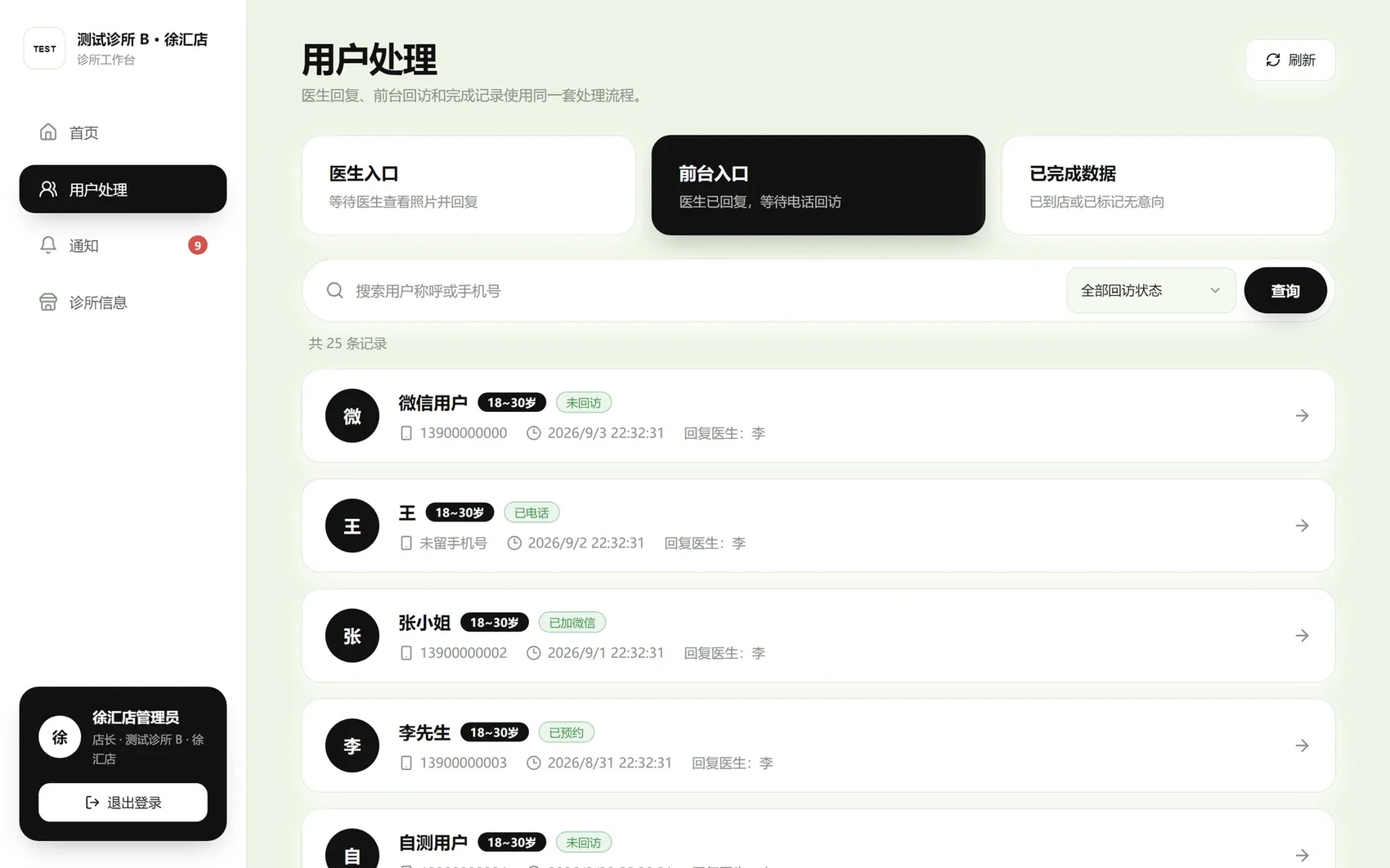
Once the doctor replies, the case moves to the front-desk queue. Staff call with the doctor's note in front of them, log the outcome and book the visit.
- Follow-up states: not called / called / WeChat added / booked / not interested
- Cases without a phone number or with voice-only replies are handled too
Reply from a phone
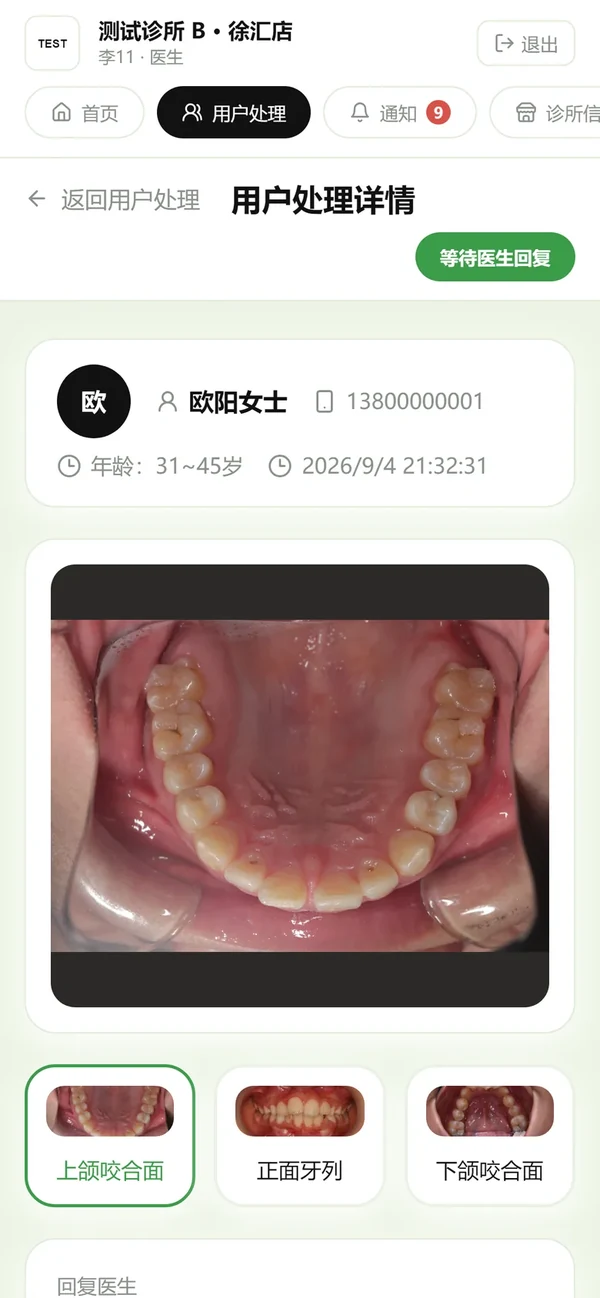
Doctors do not need to sit at a desk: open the workbench in a phone browser, view photos, pick a template, record a voice note and publish. Notifications carry an unread badge and refresh every 30 seconds.
- The call button wraps on narrow screens so numbers never overflow
- Long doctor replies collapse by default and expand on tap
One code per channel, so the numbers decide where to invest
The platform issues a main code and channel codes per clinic. Scans, sign-ups, checks, reports, shares and replies are counted per channel. Codes can be downloaded and retired, so old codes phase out cleanly.
- Attribution is frozen per check-up: scan another clinic's code and that lead belongs to that clinic
- Clinics are fully isolated and see only their own data that users chose to share
- The platform console manages clinic onboarding, quotas, accounts, codes and cross-clinic statistics
The lead path from scan to clinic visit
One code, three plays
Street and mall promotion
Set up at a mall or in the community with the code on your materials. People scan and check on the spot, the report says a doctor will review, and the clinic calls to invite them in.
Waiting-room screening
Patients scan the front-desk stand while they wait. The doctor sees the AI pre-screen before the visit and the conversation starts with "these two teeth need attention".
Community sharing
Post the code in patient groups and social feeds. People share their report with family, and everyone who arrives through a share still belongs to the original clinic.
Compliance is the foundation, not a patch
Wording rules
All consumer copy is rendered server-side under compliance rules: "risk hint" and "worth attention", never diagnostic language
Live frames stay local
Capture guidance runs on the phone; only the three confirmed photos are uploaded
Sensitive data protected
Phone numbers are masked; originals and cropped analysis images are stored separately in private, time-limited storage
Strict isolation
Clinics only see their own data that users chose to share; test and production environments are fully separate
Consent and deletion
A dedicated prompt before capture explains data use; accounts and personal data can be deleted
Give your clinic a lead engine
Book a demo and we will generate a trial code in your clinic's name, then walk the whole loop from scan to doctor reply.
 Scan on WeChat to get your clinic's trial QR code